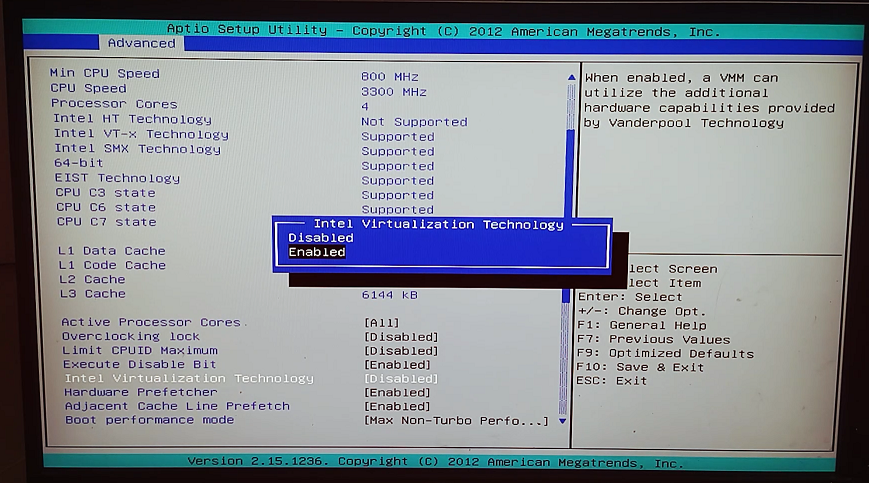
To run Android Virtual Device (AVD) on a computer. we need to enable Virtualization technology (vt-x or AMD-v or HyperV).
Enable Intel virtual technology in Bios (Zebion Motherboard):
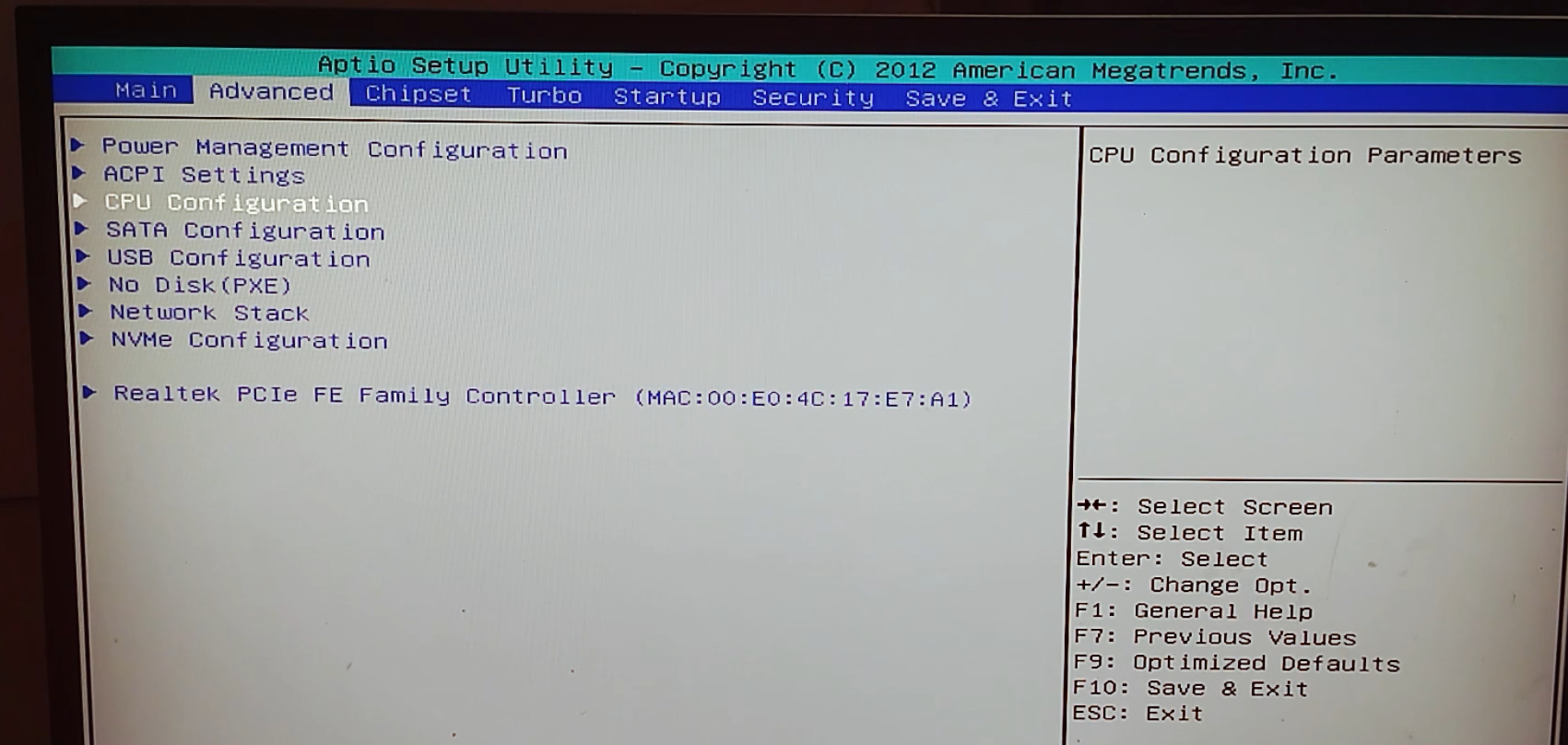
Press DEL key in keyboard. You will see bios settings.Go to Advanced tab and select CPU configuration
Now just select the intel virtualization technology by pressing down key and press enter key enable it.